

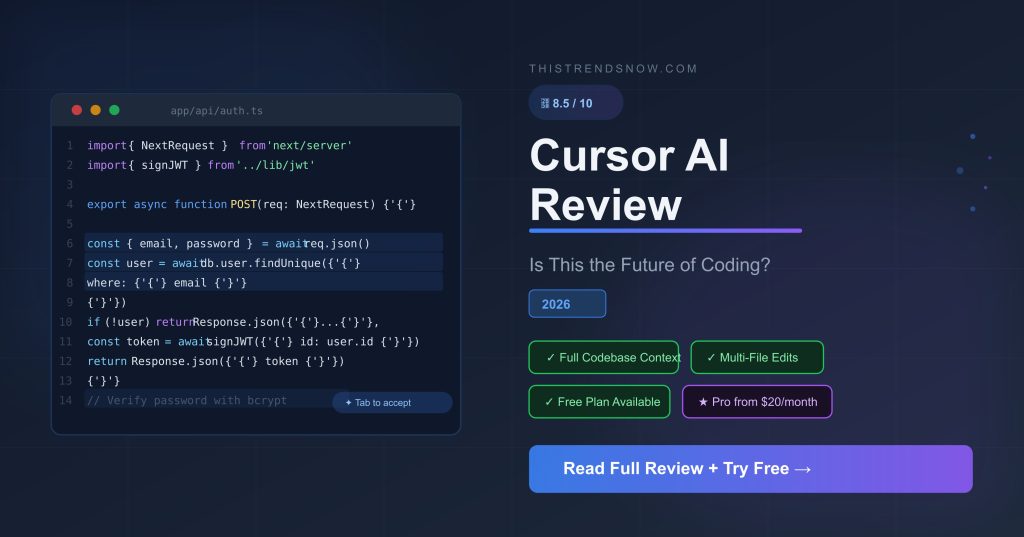
| ★ TRY CURSOR FREE → Start on the free Hobby plan today. No credit card required. [https://cursor.com] |
Welcome to our Welcome to our Cursor AI review for 2026 — the most up-to-date, honest breakdown of whether this AI code editor is worth your money.
If you write code — or work with people who do — you have almost certainly heard of Cursor. It is the AI code editor that developers call a cheat code, a career multiplier, and the tool that makes you feel like you have a senior engineer sitting next to you at all times. But is it actually worth paying for right now?
In this In this Cursor AI review, we tested the tool across real projects over several weeks — covering what it does, who it helps, how the 2025 credit system change affects your wallet, and whether the Pro plan at $20 a month justifies itself against cheaper competitors.
1. What Is Cursor AI?
Cursor AI is an AI-native code editor built on the same foundation as VS Code. It is not a plugin you bolt onto your existing setup — it is a completely separate application designed from the ground up around AI-assisted development. Think of it as VS Code, but with an intelligent AI layer that understands your entire codebase, not just the single file you have open.
The tool is made by Anysphere, a startup incorporated in 2022 that has grown to an estimated annualised revenue run-rate approaching $1 billion. It is used by millions of developers worldwide and has become one of the most talked-about tools in the AI software space.
The core idea is simple: instead of switching between your editor and ChatGPT, Cursor brings the AI directly inside your coding environment — with full context of your entire project at all times.
2. Who Is Cursor AI For?
Cursor is built for anyone who writes code professionally, but the value proposition shifts depending on how much you code and how complex your projects are.
- Freelance developers and contractors who need to ship faster and bill more hours profitably
- Startup founders and indie hackers building products without a full engineering team
- Junior developers who want a senior AI to review, explain, and improve their code in real time
- Engineers at companies where speed of iteration is a competitive advantage
- Non-technical founders who have learned basic coding and want to build real products faster
Cursor is not the right fit for absolute beginners who have never written code. It accelerates developers — it does not replace the fundamentals. If you are starting from zero, tools like Replit or Bolt may be better entry points.
3. Key Features
Tab Completion — The Feature Everyone Talks About
Cursor’s Tab completion is not standard autocomplete. It predicts what you are about to type next — often entire lines or blocks — based on the context of your whole file and project. Developers who use it daily say the completion is ready before they have finished thinking about what they want to write. On all paid plans, Tab completion is unlimited.
Composer — Multi-File AI Editing
This is Cursor’s standout feature. Composer lets you describe a task in plain English — for example, ‘add a password reset flow including the email template, API route, and frontend form’ — and Cursor identifies every file that needs to change and updates them all simultaneously. Tasks that used to take an hour of careful cross-file editing now take minutes. Most developers who rely on Composer say this feature alone justifies the subscription price.
Full Codebase Context
Unlike GitHub Copilot, which primarily works at the file level, Cursor indexes and understands your entire repository. When you ask it a question or assign a task, it knows how all your files relate to each other. This makes its suggestions dramatically more relevant and its refactoring far more accurate than tools with limited context windows.
Multi-Model Access
Cursor lets you choose which AI model powers your requests — GPT-4o, Claude Sonnet, Gemini, and others. Different models have different strengths. Auto mode selects the most cost-efficient option automatically and does not consume your credit pool. Manually selecting a premium model draws from your monthly credits.
Background Agents
Available on Pro+ and above, Background Agents let Cursor run multi-step tasks independently while you continue working on something else. It can execute test suites, implement features across your codebase, and refactor at scale without requiring your supervision at every step. This is the feature that pushes Cursor into the category of autonomous AI coding assistant rather than just a smart editor.
4. Cursor AI Review: Pricing Breakdown 2026
Cursor’s pricing changed significantly in June 2025. It moved from a fixed request model to a credit-based system. Here is exactly what each plan costs and what you get — updated for 2026.
| Plan | Price | Best For | Key Limits |
| Hobby (Free) | $0/month | Evaluation and light use | 50 premium requests + 500 model requests/month |
| Pro | $20/month | Individual developers | Unlimited Tab, $20 monthly credit pool for premium models |
| Pro+ | $60/month | Power users | Everything in Pro plus 3x credit pool ($60 value) |
| Ultra | $200/month | Full-time AI-native devs | 20x usage multiplier, priority feature access |
| Teams | $40/user/month | Engineering teams | Shared context, billing controls, SSO, analytics |
| Enterprise | Custom pricing | Large organisations | Pooled usage, audit logs, SCIM, granular controls |
How the Credit System Works
Every paid plan includes a monthly credit pool equal to the plan price in dollars. When you use Auto mode, requests are unlimited and do not touch your credits. When you manually select a premium model such as Claude Sonnet or GPT-4o, it draws from your pool. Once the pool is empty you can enable pay-as-you-go overage billing or upgrade your plan.
In practice, most Pro plan developers who primarily use Auto mode will never hit their credit limit. The users most likely to see overage charges are those who regularly select frontier models manually for complex tasks.
5. Pros and Cons
| Pros | Cons |
| Composer multi-file editing is genuinely transformative | Credit system is more complex than it needs to be |
| Full codebase context beats Copilot on complex projects | Costs 2x GitHub Copilot ($20 vs $10 per month) |
| Feels exactly like VS Code — almost zero learning curve | Some users report quality drop after the free trial ends |
| Free Hobby tier is permanent, not just a trial period | Background Agents only available on Pro+ and above |
| Multi-model access: Claude, GPT-4o, Gemini all included | Rate limits of 1 request/min and 30/hour on heavier workloads |
| Background Agents enable true autonomous task completion | Windsurf offers comparable features at $15 per month |
6. Cursor AI Review: How It Compares to GitHub Copilot and Windsurf
| Feature | Cursor Pro | GitHub Copilot | Windsurf |
| Monthly price | $20/month | $10/month | $15/month |
| Full codebase context | Yes | Limited | Yes |
| Multi-file editing | Yes — Composer | Limited | Yes — Cascade |
| Multi-model access | Yes | No | Yes |
| Permanent free tier | Yes | Yes | Yes |
| Background agents | Pro+ only | No | Yes |
| VS Code compatible | Built-in fork | Plugin | Built-in fork |
The honest summary: after the June 2025 credit system change, Windsurf became the default recommendation in developer communities for budget-conscious users. Cursor still wins on codebase context depth and the polish of the Composer feature. GitHub Copilot is the right call if budget is the priority and you want to stay in your existing VS Code environment without switching editors entirely.
7. Our Honest Verdict
| ThisTrendsNow Score: Cursor AI — 8.5 / 10 |
Our Our Cursor AI review verdict: this is an excellent tool that delivers on its promise. The Composer feature for multi-file editing and the full codebase context are real competitive advantages. For developers who spend most of their day writing code, $20 a month is easily justified — the productivity gains typically pay for the subscription within the first week.
The caveats are real but manageable. The credit system introduced in 2025 adds complexity that should not exist at this price point. Windsurf is a genuine alternative at $15 per month. Rate limits on the Pro plan can frustrate heavy users. But none of these are dealbreakers when weighed against what Cursor actually delivers day to day.
Our recommendation is straightforward. Start on the free Hobby tier and test it on a real project. If it changes how you code — and it probably will — the $20 Pro plan is worth it without hesitation.
| Who should buy it: Any developer working on multi-file projects who wants to stop switching between their editor and an AI chatbox. Cursor removes that friction entirely. |
| Who should skip it: Absolute beginners still learning the fundamentals. Start with simpler tools and come back to Cursor when you are building real projects. |
★ START CURSOR FOR FREE → [https://cursor.com]
No credit card required. Free Hobby plan available permanently.
Related articles coming soon: Best AI Coding Tools 2026 | Cursor vs Windsurf | GitHub Copilot Review


You’re a really good writer. Very interesting story, written really well.