

| ★ TRY NOTION FREE → Start on the free plan today — no credit card required. https://www.notion.com/ |

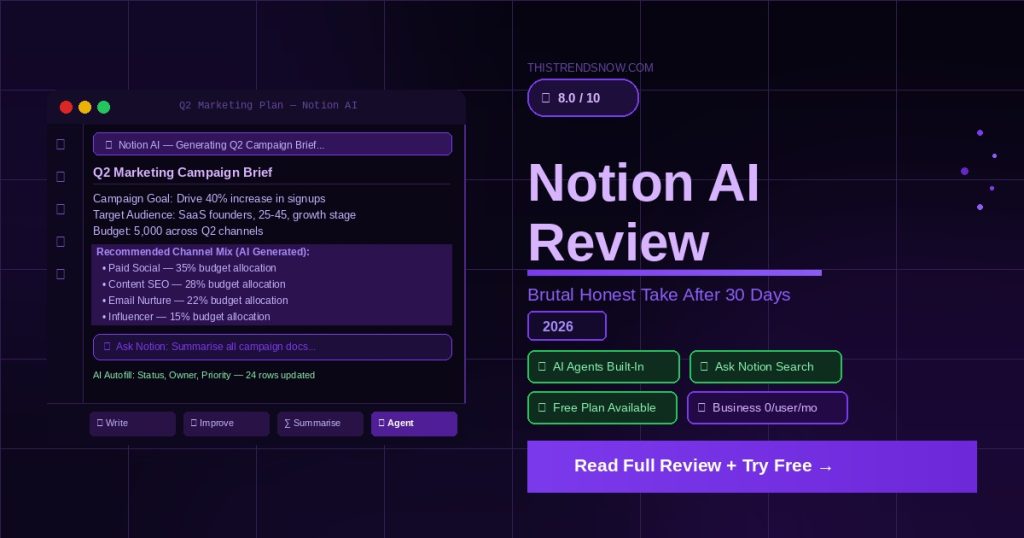
Welcome to our Notion AI review for 2026 — written after 30 days of daily use across real projects, team collaboration, and content workflows.
Notion has been the go-to all-in-one workspace for millions of professionals since it launched. But in May 2025 everything changed. Notion eliminated its separate AI add-on and locked full AI access behind the Business plan at $20 per user per month. That one pricing decision divided the Notion community straight down the middle.
In this Notion AI review, we break down exactly what changed, whether the new pricing is worth it, and who should upgrade — versus who should stay on the cheaper Plus plan and skip AI entirely. This is the honest take most reviews are not giving you.
1. What Is Notion AI?
Before diving into the full Notion AI review, here is the important context: Notion AI is not a standalone product. It is the AI layer built directly into Notion — the all-in-one workspace that combines notes, databases, wikis, project management, and documents into a single platform used by over 100 million people worldwide.
The AI features include writing assistance, summarisation, content generation, database autofill, translation, and — as of September 2025 — autonomous AI Agents that can execute multi-step tasks across your entire workspace without you supervising every action. Notion 3.3, released in February 2026, added Custom Agents, letting teams build their own specialised AI workflows on top of the platform.
The key thing to understand going into 2026 is that Notion AI is no longer an optional add-on you bolt onto a cheaper plan. It is now a premium feature bundled exclusively into the Business and Enterprise tiers.
2. Who Is Notion AI For?
Notion AI earns its price for a specific type of user. The wrong fit will pay $20 per month for features they never touch.
- Knowledge workers who live in Notion daily — writers, researchers, product managers, consultants
- Small teams who use Notion as their central workspace and need AI to speed up documentation and project briefs
- Content creators and marketers who want AI writing assistance inside the same tool where they manage their projects
- Founders and operators who want to replace multiple tools — notes, tasks, docs, and AI — with a single subscription
- Teams already on Notion Plus who produce enough written content to justify the upgrade to Business
Notion AI is not the right fit for users who only need basic note-taking or task management. If you are not using Notion heavily as a daily writing and collaboration tool, the $20 per month Business plan is difficult to justify — especially when standalone AI writing tools are available for the same price or less.
3. Key Features
AI Writing and Editing
The core AI writing features are available everywhere inside Notion. You can ask AI to draft content, rewrite paragraphs, fix grammar, change tone, summarise long documents, and translate text — all without leaving the page you are working on. For users who write inside Notion daily, the friction reduction is real and noticeable from the first week of use.
Ask Notion — Workspace-Wide AI Search
This is the feature that most justifies the Business plan upgrade. Ask Notion lets you query your entire workspace in plain English — including connected tools like Slack, Google Drive, and GitHub. Instead of hunting through folders and databases, you ask a question and Notion finds the answer from across everything you have stored. For teams with large, complex workspaces this is a genuine productivity multiplier.
AI Agents — Autonomous Task Execution
Launched in September 2025 with Notion 3.0, AI Agents represent the biggest leap forward in Notion’s history. Your personal Agent can work autonomously for up to 20 minutes, executing multi-step tasks across hundreds of pages simultaneously — building project launch plans, compiling feedback from multiple sources, updating database entries at scale, and creating interconnected page structures. This moves Notion from a tool that suggests to a tool that executes.
Database Autofill
One of the most underrated Notion AI features. You can instruct AI to automatically populate database properties — filling in summaries, categorising entries, generating tags, and extracting key information from long documents into structured fields. For teams managing large databases of content, research, or tasks, this alone saves hours every week.
Custom Agents (Notion 3.3 — February 2026)
The newest addition as of this review. Custom Agents let Business and Enterprise teams build their own specialised AI workflows trained on their specific processes. You can create an agent that handles onboarding documentation, another that manages meeting follow-ups, and another that maintains your knowledge base — all running autonomously inside Notion.
4. Notion AI Review: Pricing Breakdown 2026
Here is the complete Notion AI review of current pricing — confirmed from Notion’s official pricing page in March 2026. Annual billing saves 20% across all paid plans.
| Plan | Monthly Price | Annual Price | AI Access | Best For |
| Free | $0 | $0 | 20-response trial only — no reset | Individuals and personal use |
| Plus | $12/user/month | $10/user/month | 20-response trial only — no reset | Small teams needing collaboration without AI |
| Business | $24/user/month | $20/user/month | Full unlimited AI — Agents, Ask Notion, all features | Teams who need full AI access |
| Enterprise | Custom | Custom | Full AI + zero data retention with LLM providers | Large organisations with compliance needs |
| Important: Students and educators can access the Plus plan free. The AI add-on that used to cost $10/user/month separately was eliminated in May 2025 — full AI now requires the Business plan. Link to official pricing: https://notion.com/pricing |
5. The Big Pricing Change You Need to Know About
This is the section most Notion AI reviews skip — and it is the most important part of the story in 2026.
Before May 2025, Notion AI was a separate add-on priced at $10 per user per month that you could bolt onto any paid plan. A team of five on Plus could pay $10 per user per month for the base plan plus $10 per user per month for AI — totalling $100 per month for everything.
In May 2025, Notion eliminated that add-on entirely. Full AI access — including AI Agents and Ask Notion — now requires the Business plan at $20 per user per month. That same team of five now pays $200 per month minimum to access the same AI features they were paying $100 for before.
| The practical impact: If you were on Plus and paying for the AI add-on, your effective cost stayed the same — but you were automatically moved to Business. If you were on Plus without AI, nothing changed. If you want AI for the first time, you now pay double what early adopters paid. |
Whether this is worth it depends entirely on how much you use Notion and how central AI is to your workflow. For heavy users, the Business plan at $20 per user per month is genuinely competitive when you consider that ChatGPT Plus costs $20 per month separately. For light users, it is a steep premium for features they will rarely touch.
6. Pros and Cons
| Pros | Cons |
| AI Agents execute tasks autonomously — not just suggestions | Full AI now requires Business plan at $20/user/month — doubled for many users |
| Ask Notion searches your entire workspace and connected tools | Free and Plus plans only get 20 AI responses total — no monthly reset |
| All-in-one platform replaces notes, docs, tasks, and AI tools | Performance slows noticeably on large databases and complex pages |
| Custom Agents let teams build specialised AI workflows | Steep learning curve — takes weeks to set up a productive workspace |
| Multi-model AI access: GPT-4.1 and Claude 3.7 Sonnet included | Not purpose-built for writing like Jasper — AI is broad, not deep |
| Genuinely unlimited free plan for individual users | Guest-to-member auto-conversions can trigger unexpected billing charges |
7. Notion AI Review: How It Compares to Competitors
No Notion AI review is complete without comparing it to the tools people most commonly consider alongside it.
| Notion Business | Obsidian + AI | ClickUp AI | |
| Monthly price (annual) | $20/user/month | ~$25/user/month | $19/user/month |
| AI writing assistance | Yes — built in | Via plugins | Yes — built in |
| Autonomous AI Agents | Yes — Notion 3.0 | No | Limited |
| Workspace-wide AI search | Yes — Ask Notion | No | Limited |
| Database management | Excellent | No | Excellent |
| Free tier | Yes — generous | Yes | Yes |
| Learning curve | Steep | Moderate | Steep |
The honest comparison: Notion Business at $20 per user per month is genuinely competitive when you factor in everything it replaces — separate project management tools, documentation platforms, and AI writing subscriptions. The problem is the all-or-nothing nature of the AI pricing. Teams who want just the workspace without AI are better served by the Plus plan at $10 per user per month. Teams who want powerful AI Agents and workspace-wide search will find the Business plan hard to beat at its price point.
8. Our Honest Verdict
| ThisTrendsNow Score: Notion AI — 8.0 / 10 |
Our Notion AI review verdict: Notion AI in 2026 is genuinely impressive — but the May 2025 pricing change means it is only worth it for the right user. The AI Agents feature is one of the most powerful things we have tested in the productivity space this year. Ask Notion is a real game-changer for teams with large, complex workspaces. Custom Agents push this further into territory that dedicated AI tools cannot match.
The caveat is real: you are paying $20 per user per month for a bundle of features, and not every team needs every feature in that bundle. If your primary use case is writing assistance, a dedicated tool like Jasper may serve you better. If your primary use case is project management, ClickUp AI at $19 per user per month is worth comparing. But if you want a single platform that replaces multiple tools — and you are prepared to invest the time to set it up properly — Notion Business is excellent value.
| Who should upgrade to Business: Teams already using Notion Plus who produce significant written content, manage complex databases, or want autonomous AI Agents to handle repetitive workflows. The upgrade pays for itself quickly at this level of use. |
| Who should stay on Plus or Free: Individuals and teams using Notion primarily for note-taking and basic task management who do not need AI features regularly. The 20-response trial on Plus is enough to evaluate whether the upgrade is worth it for your workflow. |
★ TRY NOTION FREE → https://www.notion.com/
Free plan available permanently. No credit card required to start.
Related articles coming soon: Best AI Productivity Tools 2026 | Notion vs ClickUp | Best Notion Alternatives